Stop reading the same error 300 times.
CPEYE shows what is failing, folds repeated errors into a few patterns and keeps every fix your team writes. Right inside Cloud Integration.
312 failed messages
4 patterns
1 fix, kept for the team
Example with sample data.
Monitoring Cloud Integration today feels like this.
THE WALL
Hundreds of red lines
You open message monitoring and scroll. Most lines are the same error, but you only find out after reading them.
THE MEMORY
The fix is in someone's head
It was solved last month. By whom, and how? Somewhere in a chat. So you debug it again.
THE REPORT
Status means screenshots
Your manager asks how integrations are doing. You build an answer by hand, again.
CPEYE fixes all three, in the page you already have open.
THE TOUR
Observe. Analyze. Improve.
01 · OBSERVE
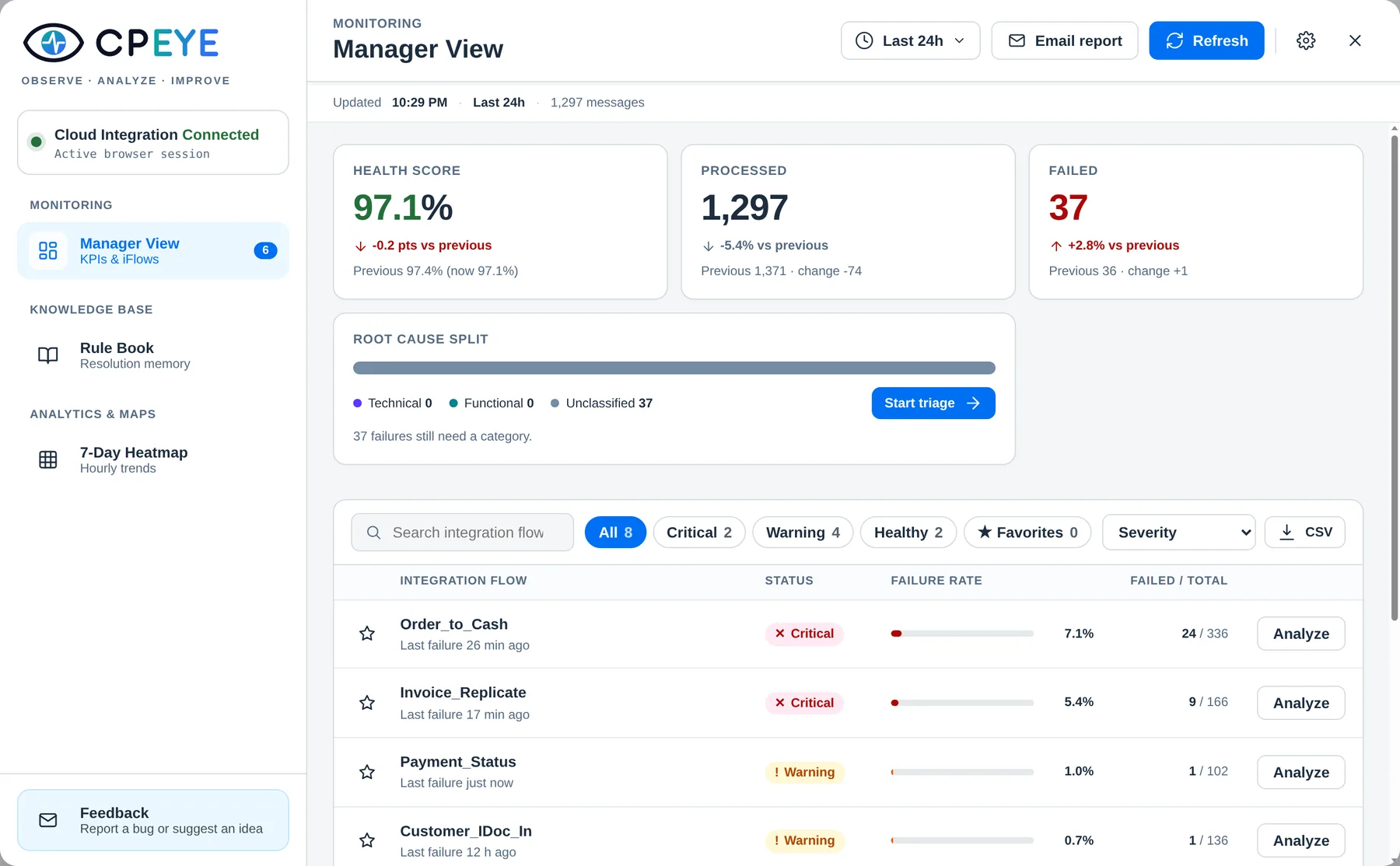
Your morning check, in one screen.
The Manager View gives the health score, processed and failed messages, compared with the period before. Failing flows come first, ranked by severity.
01 · OBSERVE
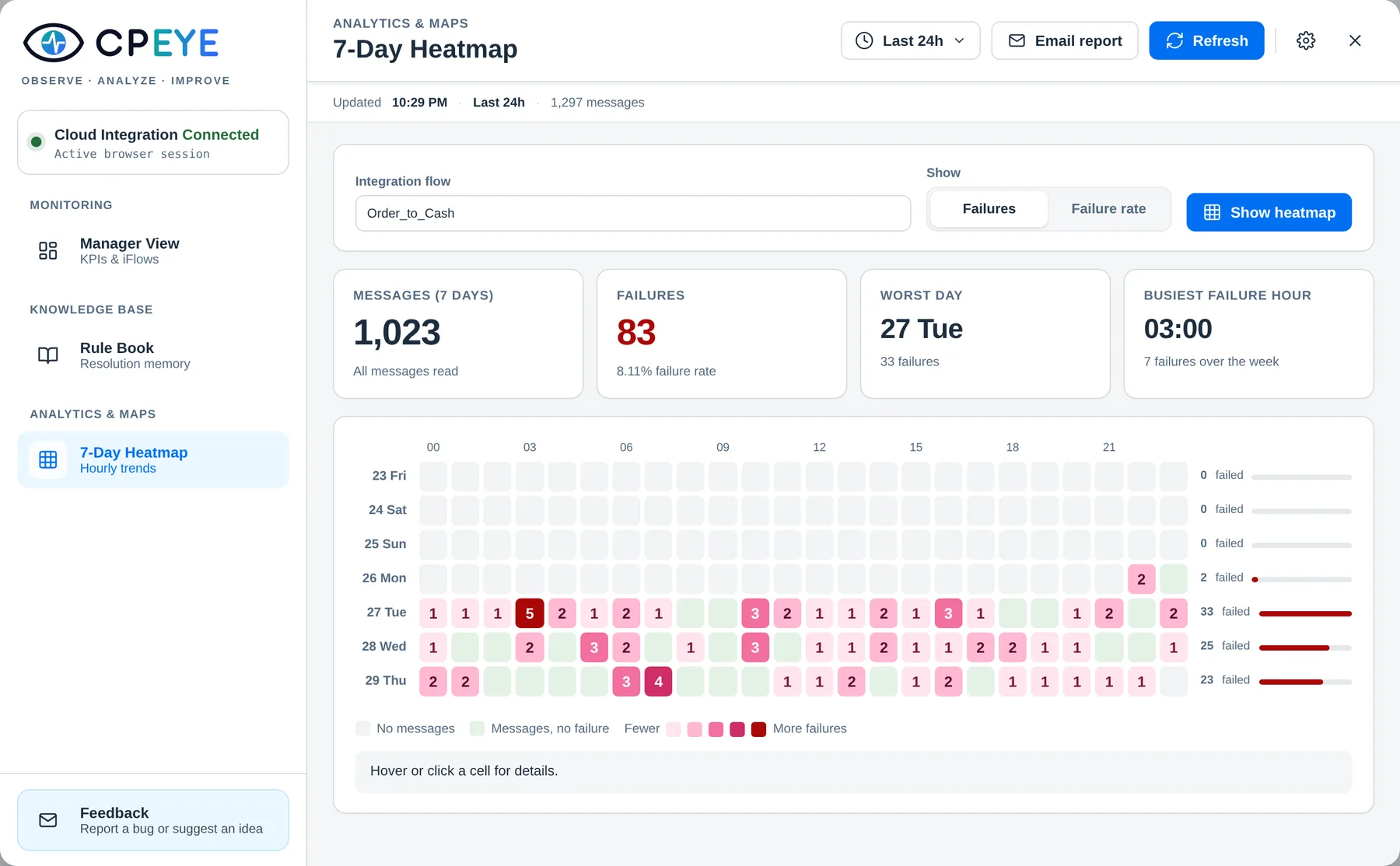
See when a flow breaks.
The seven day heatmap shows failures by day and hour. A batch that fails every night at 2 a.m. stands out at a glance.
02 · ANALYZE
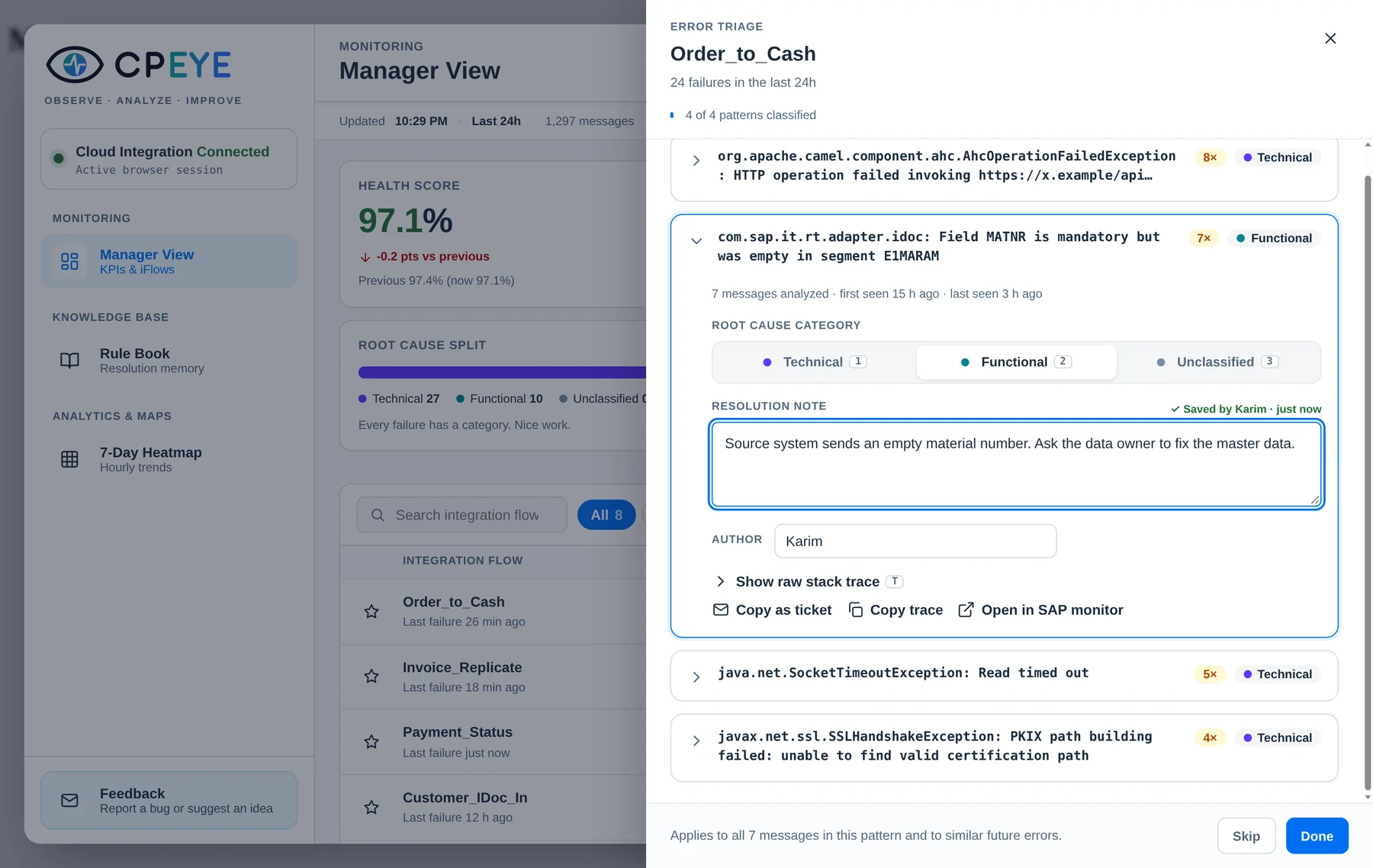
300 messages. Four problems.
Similar failures are grouped into patterns with a count. Mark each one technical or functional and see the split for the whole period.
03 · IMPROVE
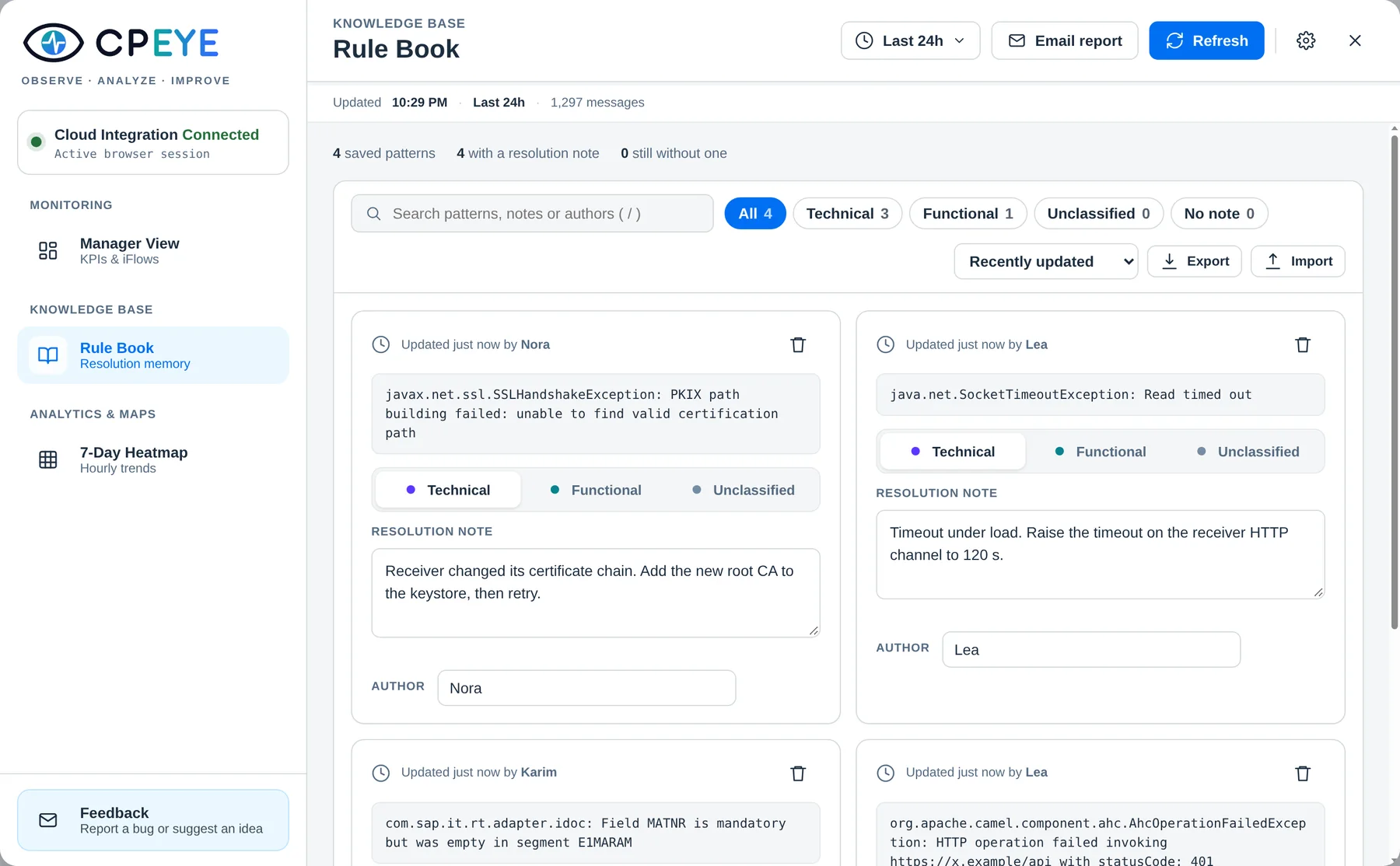
Fix it once. It comes back when needed.
Every resolution note goes into a Rule Book. When the same error appears again, CPEYE recognizes it and shows the fix and who found it.
03 · IMPROVE
A status email in one click.
Health score, volume, top failing flows and the documented fixes, ready to paste into Outlook or Gmail.
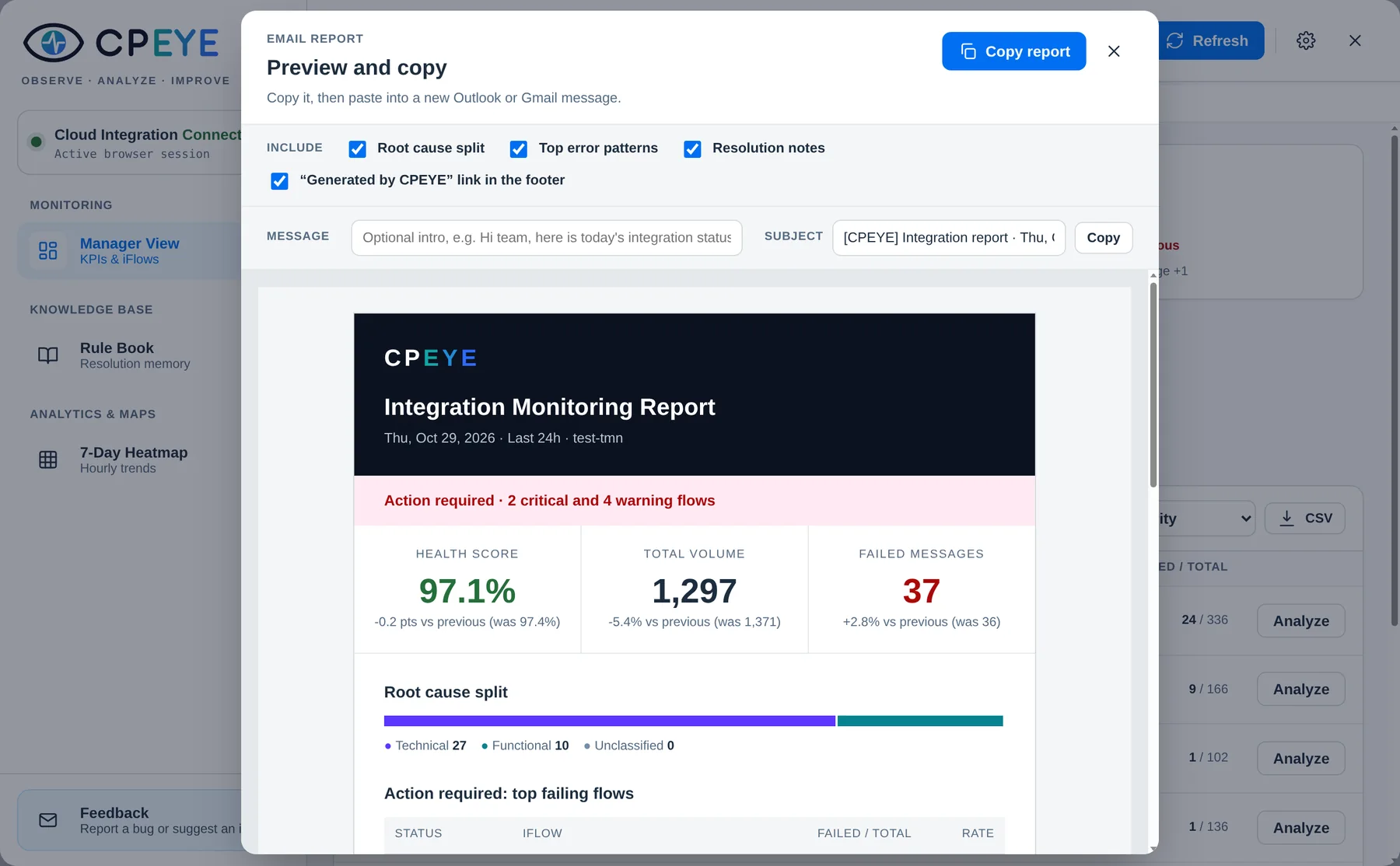
All screens show sample data.
Before and after CPEYE
| Task | Without | With CPEYE |
|---|---|---|
| Morning check | Filter message monitoring flow by flow | One screen: health score and failing flows first |
| Understand failures | Open messages one by one | Grouped patterns with counts and a category |
| Known error returns | Debug again, or ask around | The fix and its author appear automatically |
| Raise a ticket | Copy logs, write context by hand | Ticket-ready text in one click |
| Report status | Screenshots and a long email | A clean report, one click |
SAFE BY DESIGN
Your security team will like it too.
CPEYE works like you do: in your browser, with your own access. There is no server in between.
It reads monitoring data. It never changes, retries or deletes anything.
It only sees what your user can already see. No technical user, no credentials stored.
Settings, notes and the Rule Book live in Chrome on your device.
Local storage. No access to your browsing history or other sites.
Up and running before your coffee cools.
Add CPEYE to Chrome
From the Chrome Web Store. Free, no sign-up.
Open Cloud Integration
Any page of your tenant, logged in as usual.
Press Alt + Shift + E
Or click the CPEYE icon. Your data is already there.
Questions
Is it really free?
Yes. CPEYE is free, with no limit on flows. A shared version for teams, Team Edition, is in early access.
Does it change anything in my SAP tenant?
No. It only reads monitoring data that your own user can already see.
Do I need admin rights or a technical user?
No. If you can open message monitoring in Cloud Integration, CPEYE works.
Can my colleagues see my Rule Book?
It stays in your browser. You can export it and share the file. Team Edition will share it automatically.
Which browsers are supported?
Google Chrome and other Chromium-based browsers that accept Chrome extensions.
Is CPEYE affiliated with SAP?
No. CPEYE is an independent product built for SAP Cloud Integration users.
Observe. Analyze. Improve.
Your next incident, read once and fixed for good.
Working as a team? See Team Edition